Minimalist Presentation Design Tips
3 Things to Cut + 3 Things to Add to Your PowerPoint Presentations
Picture this. You finished drafting that message you’re planning to share at the next company-wide presentation.
You’re proud. You did it!
You wrote down everything you want to say in Google Docs or Microsoft Word. Now, you can take a break and rest easy knowing that you don’t have to present for another week.
But WAIT. You’ve still got to move your message into PowerPoint or Google Slides, and that feels like a lot.
Don’t worry. We’re here to help you figure out what info needs to be showcased visually and to help you realize if you’re missing something essential.
Okay, you get the idea. Can we skip to the good part?
3 Things You Should Delete from Your Presentation

Yes, this includes your notes. Every word needs to hold its weight. If you removed this word or phrase, how would it change your message? There’s a notes section within PowerPoint (and most presentation applications) for a reason.

Not to be confused with excess information, this information is ESSENTIAL to your message. However, this vital information could be communicated in a more visually appealing way.
Don’t forget to use all the tools you have at your disposal to make your presentation more visually appealing and easy to understand.
Here are a few examples:
- Bullet points (See what we did there?)
- Numbered lists
- Section headers
- Contextual subheaders
- Graphics
- Images
- Video
- Gifs
- Infographics
- Charts/graphs


If given the option, always choose visuals over straight stats.
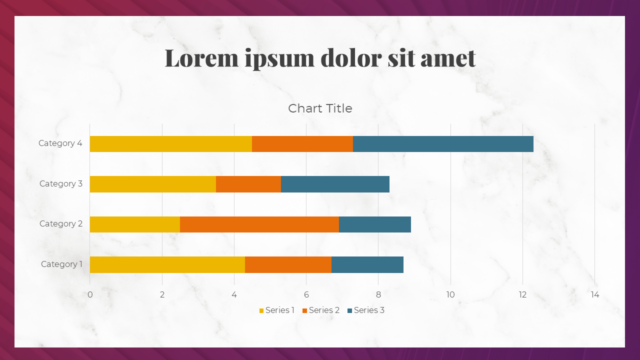
Often, without the numbers and the data, you don’t have a message. However, if your audience feels like they’re having to sprint to keep up with the conclusions you’re coming to, then you probably aren’t utilizing the power of visual communication.
Your message will be more easily understood and more memorable when numbers are represented visually.
Cut these three things to tap into the minimalist within you and create a clear, effective PowerPoint presentation that supports your message and goals!
3 Things You Should Include from Your Presentation

Like readers who don’t finish books that don’t peak their attention after one chapter or a certain number of pages, presentations must capture your audience’s attention from the start.
The best way to do this is to employ a hook, something that makes your audience stop to listen to what you have to say.
This could be a well-told anecdote, a bold statement, a thought-provoking question or a host of other things. The key is to know your audience and understand what will entertain, educate, and inspire them.


How do you know it’s valuable? Because you know your audience, and you have a thorough understanding of what they need to hear.
What information will be most helpful to them? How can you give them a quick win or make them rethink their approach?
It doesn’t matter if this is an internal meeting or a public presentation. You’re giving this presentation for a reason.
What is your goal? To teach a new skill? To help them make a decision? Your writing should be supported by the answers to these questions:
Who is your audience? What are you trying to achieve?

Notice that I didn’t say “calls-to-actioncalls-to-actioncalls-to-actioC” (plural). While sticking to one call-to-action may seem too simple, it’s critical for clear communication.
Your audience may not say verbatim, “I want you to tell me what to do,” but they are always asking one or more of these questions:
- “What do I do with this information?”
- “How does this apply to me?”
- “If this is true, then what’s my next step?”
So, instead of leaving it up to them to figure out the answers to these questions — tell them!
And, while you’re at it, be clear and confident when you do.

Include these three things to create an inspiring, entertaining and worthwhile PowerPoint presentation that supports your strategic goals!
Now you’re ready to edit that copy and nail that presentation.

